
PUBG Mobile Packs
TOP UP

PUBG Mobile Packs
PUBG Mobile Packs provide a convenient way to access selected subscriptions, passes, event benefits, and premium content available within PUBG Mobile. Instead of purchasing each offer through separate payment methods, players can choose an eligible pack and have it delivered directly to their PUBG Mobile account.
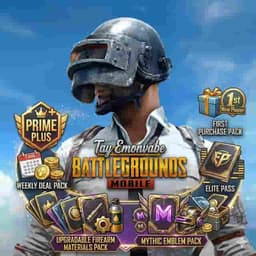
Available packs may include Prime and Prime Plus memberships, Elite Pass options, Weekly Deal Packs, Mythic Emblem Packs, First Purchase Packs, and other promotional or seasonal offers. The exact benefits of each pack depend on the current PUBG Mobile season, event, and the specific package selected.
What Are PUBG Mobile Packs?
PUBG Mobile Packs are predefined in-game offers that can provide players with additional benefits, rewards, or premium access. Some packs are designed around recurring membership periods, while others are limited-time offers or progression-based content.
For players who regularly purchase PUBG Mobile content, packs can be a practical way to access specific benefits without manually purchasing individual items.
Prime and Prime Plus
Prime and Prime Plus are membership-style options that may provide additional benefits during their active period. The benefits, duration, and availability can vary depending on the current PUBG Mobile offering.
Before purchasing, review the package information shown on the product page to make sure you are selecting the correct membership period and type.
Elite Pass
The Elite Pass is designed for players who want access to additional seasonal rewards and progression benefits. PUBG Mobile regularly introduces new seasons with different missions, rewards, cosmetics, and progression systems.
The available Elite Pass options may differ depending on the current season and account eligibility. Always check the current in-game season and package details before ordering.
Weekly and Event-Based Packs
Weekly Deal Packs and other event-related packs can provide specific benefits during a limited period. These offers may change as PUBG Mobile introduces new events, promotions, and seasonal content.
Because promotional packs can have different activation rules and validity periods, it is important to review the package details before completing your purchase.
How Direct Account Top-Up Works
Unlike a traditional gift card or voucher, this type of PUBG Mobile product can be fulfilled directly to the player’s account using the required Player ID.
When placing an order through PUBGTopup, enter the correct Player ID requested at checkout. The selected pack is then processed for the corresponding PUBG Mobile account according to the product’s fulfillment method.
Your PUBG Mobile password should not be required for a standard Player ID-based top-up.
Why Buy PUBG Mobile Packs Online?
Buying digital PUBG Mobile Packs online provides several advantages:
Fast digital fulfillment without physical shipping
Convenient online ordering from anywhere
Multiple pack types and durations
Player ID-based account delivery
Easy access to seasonal and promotional offers
Secure checkout and digital order processing
PUBGTopup makes it easier for PUBG Mobile players to purchase eligible packs online and receive their selected digital content without visiting a physical store.
Check Your Player ID Carefully
Your Player ID is one of the most important details when ordering a direct top-up. Always verify the Player ID before completing payment.
An incorrect Player ID can result in the order being processed for the wrong account. PUBG Mobile account details, region, package eligibility, and availability may also affect whether a particular pack can be delivered successfully.
Important Information
This is a digital PUBG Mobile top-up product.
No physical product will be shipped.
A valid PUBG Mobile Player ID is required for account-based fulfillment.
Package benefits depend on the selected pack and current PUBG Mobile offering.
Seasonal and promotional content may change over time.
Account, platform, and regional restrictions may apply.
Always verify your Player ID before payment.
Never share your PUBG Mobile password, OTP, or authentication codes.
PUBG Mobile content and services are subject to the applicable game terms and policies.
How to Buy PUBG Mobile Packs
Choose the PUBG Mobile Pack you want to purchase.
Select the available duration or pack option that matches your requirements.
Enter your PUBG Mobile Player ID in the required field.
Carefully verify your Player ID and selected pack.
Proceed to checkout and complete your payment securely through PUBGTopup.
After successful payment, your order will be processed for digital fulfillment.
The selected pack will be delivered to the PUBG Mobile account associated with the provided Player ID according to the product’s fulfillment process.
How to Receive and Use PUBG Mobile Packs
Open PUBG Mobile and log in to the account associated with the Player ID used during your order.
Check the relevant Membership, Pass, Event, or in-game section depending on the pack you purchased.
Confirm that the purchased pack or its applicable benefits have been credited to your account.
Follow any in-game instructions required to activate or claim available benefits.
Use the included rewards, membership benefits, or eligible content according to the pack’s terms.
For seasonal products such as Elite Passes, complete the applicable missions or progression activities to access available rewards.
Before Ordering
Make sure your Player ID is correct.
Confirm that you have selected the correct pack and duration.
Check the current season or event requirements where applicable.
Do not provide your PUBG Mobile password or security codes.
Keep your order information until the purchase has been successfully delivered.
Q1:What are PUBG Mobile Packs?
A1:PUBG Mobile Packs are digital offers that can provide memberships, passes, event benefits, rewards, or other eligible premium content within PUBG Mobile.
Q2:Which PUBG Mobile Packs are available?
A2:Available options may include Prime, Prime Plus, Elite Pass, Weekly Deal Packs, Mythic Emblem Packs, First Purchase Packs, and other seasonal or promotional offers. Availability can change over time.
Q3:What information do I need to order a PUBG Mobile Pack?
A3:For a standard Player ID-based top-up, you need to provide the correct PUBG Mobile Player ID and select the desired pack. Additional information may be requested depending on the specific product.
Q4:Do I need to provide my PUBG Mobile password?
A4:No. A standard Player ID-based top-up should not require you to share your PUBG Mobile password, OTP, or authentication codes.
Q5:How long does it take to receive a PUBG Mobile Pack?
A5:The order is processed digitally after successful payment. Delivery time can depend on the selected pack, stock availability, and the current fulfillment process.
Q6:Can I purchase PUBG Mobile Packs for another player?
A6:Yes, where supported, you can purchase a pack for another player by entering the correct PUBG Mobile Player ID associated with their account. Always verify the Player ID before payment.
Q7:What happens if I enter the wrong Player ID?
A7:An incorrect Player ID may cause the purchase to be delivered to a different account. Always carefully verify the Player ID before completing your order.
No reviews yet. Be the first to review!